 ZCODES
Build Beacon for Jira
CircleCI builds and deployments on every Jira issue. No orb, no pipeline changes, never fails a build.
Overview
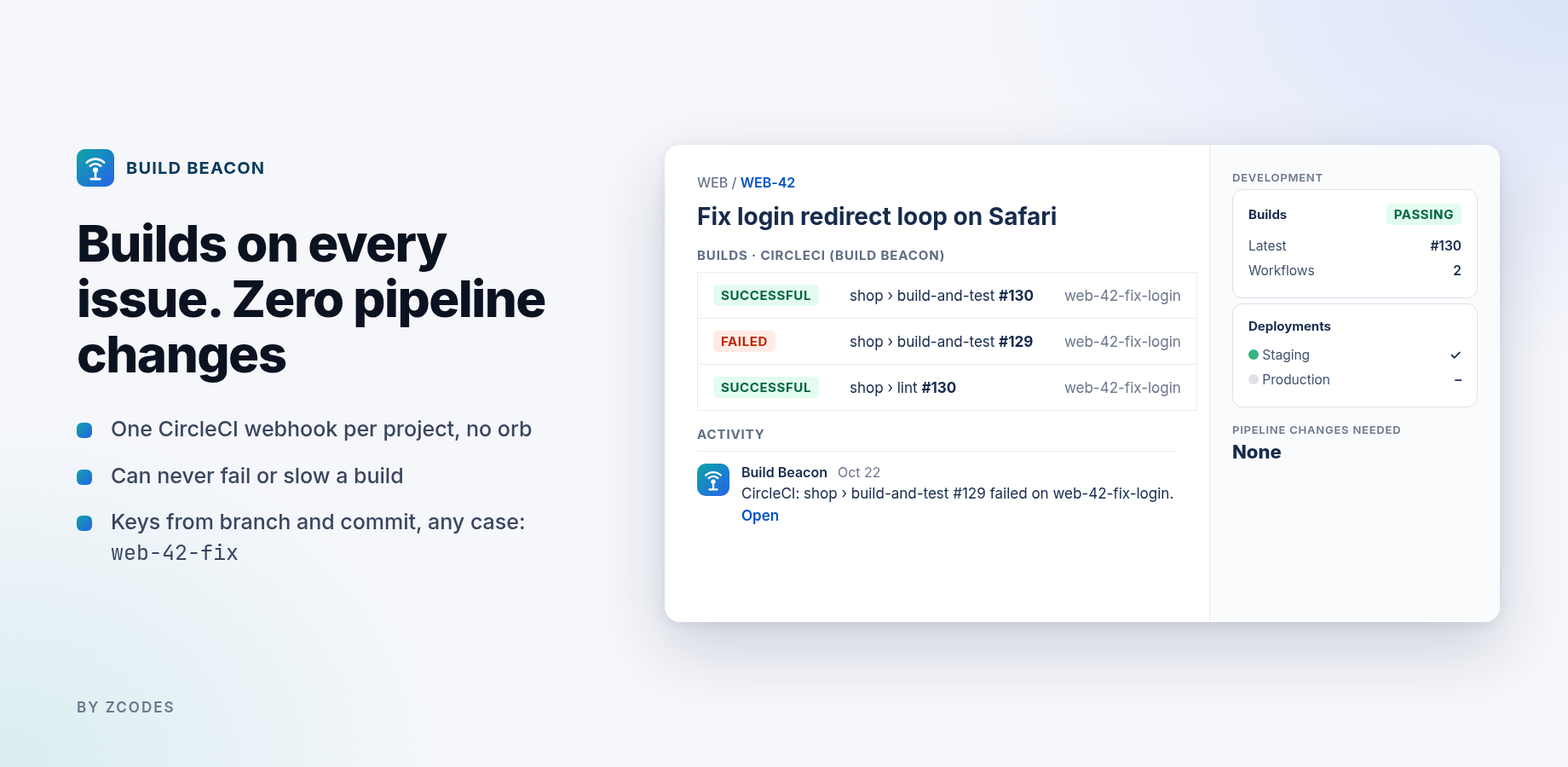
Build Beacon listens to CircleCI's outbound webhooks and sends build and deployment information to Jira's Development panel for every issue key found in the branch name or commit message. Because nothing runs inside your pipeline, it can't slow down or fail a build.
| Feature | What it does |
|---|---|
| Builds | Every completed workflow appears under Builds on the linked issues, with status, number, branch and commit. |
| Deployments | Workflows or jobs you map to environments appear under Deployments, the release hub and the deployments timeline. |
| Issue keys | From branch, commit subject and body, in any case (web-42-fix → WEB-42). Tech tokens such as UTF-8 or SHA-256 are ignored. |
| JQL | ciStatus, ciFailures, ciBuilds, ciBranch, ciDeployedTo. |
| Failure comments | One comment on the first failure after a pass (or every failure, or never). |
| Security | HMAC-SHA256 signature check; several secrets at once so you can rotate without downtime; duplicate deliveries ignored. |
Install & connect CircleCI
- Install Build Beacon from the Atlassian Marketplace, then open Jira settings → Apps → Build Beacon.
- Copy the Receiver URL on the Connect tab.
- Choose a secret token (any long random string) and paste it into Webhook secret tokens. Click Save.
- In CircleCI open Project Settings → Webhooks → Add Webhook:
- Receiver URL: paste it.
- Secret token: the same token as step 3.
- Events: Workflow Completed (and Job Completed if you deploy from a job).
- Repeat step 4 for each project. Projects can share the same token.
- Click Send test build with an existing issue key (e.g.
WEB-1), then open that issue → Development → Builds.
Linking issues
Put the issue key in the branch name or the commit message:
git checkout -b web-42-fix-login-redirect
git commit -m "WEB-42 fix login redirect on Safari"
Several keys per build are fine. Use Only these Jira space keys to restrict matching, and Ignore branches (default dependabot/*, renovate/*) to skip bots.
Deployments
Map workflow or job names to environments on the Rules tab, one per line:
deploy-prod=production
deploy-staging=staging:EU staging
*-qa=testing
Patterns without * match anywhere in the name. Types: production, staging, testing, development (anything else is "unmapped"). Tick Job Completed in CircleCI when the deploy happens in a job inside a larger workflow.
JQL & Automation
ciStatus = failed
ciStatus = failed AND ciFailures >= 3
ciDeployedTo = Production
ciBranch = "main"
Because Build Beacon uses Jira's native builds and deployments, Jira Automation triggers such as Build failed, Build successful and Deployment successful work too. Example: when a deployment to Production succeeds, transition the linked issues to Done.
Settings
| Setting | Default | Notes |
|---|---|---|
| Webhook secret tokens | none | One per line. Add the new token before removing the old one to rotate with no downtime. |
| Deployments | empty | See above. |
| Only these Jira space keys | any | Comma separated. |
| Ignore branches | dependabot/*, renovate/* | Globs, one per line. |
| Comment on failure | First failure after a pass | Or every failure, or never. |
Troubleshooting
Start with the Activity tab: it lists every webhook processed and why it was skipped.
Nothing appears in Activity
- The CircleCI webhook URL must match the Receiver URL exactly (reinstalling the app can change it).
- The CircleCI secret token must match one of your saved tokens. Wrong signatures are rejected (HTTP 401).
- Tick Workflow Completed on the CircleCI webhook. Builds are reported when workflows finish, not when they start.
Activity says "no issue keys in branch or commit"
Add the key to the branch name or commit message, or check Only these Jira space keys.
Activity says "unknown keys: …"
Jira doesn't have issues with those keys (or the app can't see them). Check the key and the space permissions.
Builds don't show on the issue
The Development panel is part of Jira software spaces. Check that the issue is in a software space and that you are looking at the issue named in the branch or commit.
Deployments don't show
Add an environment rule that matches the workflow or job name. For jobs, tick Job Completed on the CircleCI webhook.
"Subscription inactive" banner
The app stops sending builds and deployments when its subscription is inactive. A site admin can renew it in Administration → Apps.
FAQ
Do I need the CircleCI Jira orb?
No. Build Beacon doesn't use the orb or any pipeline step. You can remove the orb if you used it before.
Can it fail or slow my builds?
No. CircleCI sends the webhook after the workflow finishes; nothing runs in your pipeline.
Does it work with GitHub, GitLab and Bitbucket projects on CircleCI?
Yes. Keys come from CircleCI's own webhook data, whatever the code host.
What about re-runs?
A re-run updates the same build number; Jira keeps the latest result.
Data & security
- Runs on Atlassian (Forge). No outbound network calls; ZCODES has no servers that receive your data.
- Webhooks are verified with HMAC-SHA256 against your secret tokens, kept in Forge's encrypted secret storage.
- Sent to Jira: workflow and job names, status, pipeline number, branch, commit SHA, repository URL and links. Commit author names and emails are not stored or sent.
- Stored in your site's app storage: settings, recent delivery ids (to ignore duplicates), the last 30 activity entries, and a per-issue build summary (issue property used for JQL).
- Scopes: read/write Jira work items and app storage.